
Question:
I’m using your gallery image of a rectangular pyramid and working to add details to it. How can I add a dotted line that can serve as an altitude? I can draw the line, but I can’t get the little square sign to hang at the bottom. I’ve tried to draw two short lines to make the square symbol, but it is not working quite right. Do you have any suggestions?
Answer:
I would definitely be using the angle tool.
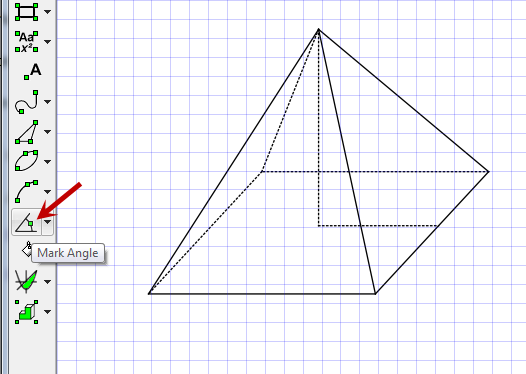
Select angle tool and mark the angle
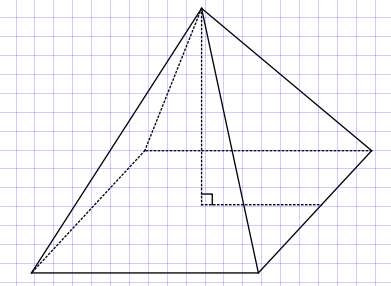
Note that I need the extra line on the base to give the angle tool an angle to find. If you don’t want that line, select it and change the line setting to invisible.
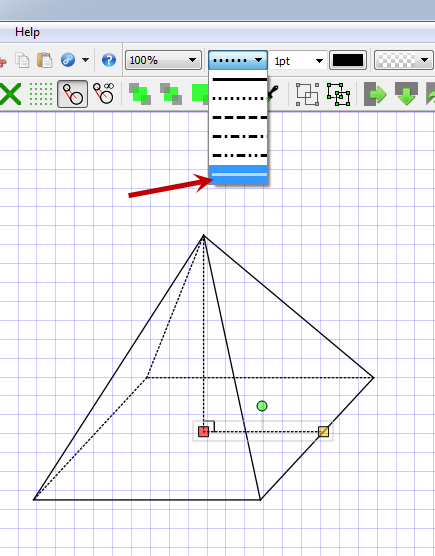
The angle mark will remain

Alternatively you might want this.
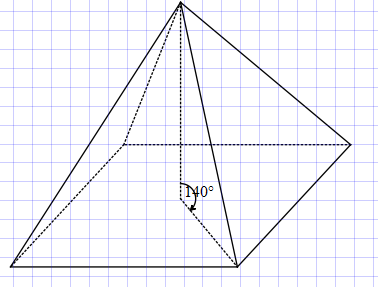
but now the angle is wrong because it is not being measured in “3D”. Right click on the angle mark.
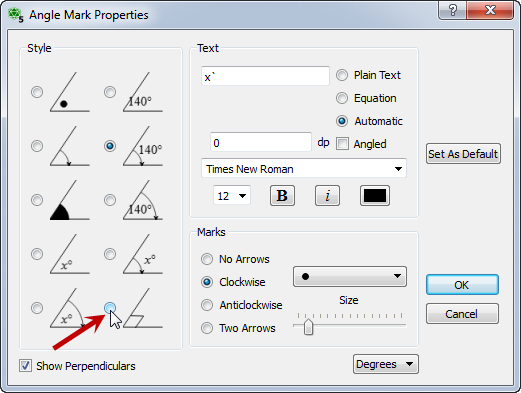
This option marks the angle as a right angle regardless of the measurement.

Discover more from Efofex News
Subscribe to get the latest posts sent to your email.


 Efofex News