
Question:
Can I Attach FX Equation to a Keyboard Shortcut in Microsoft Word for Windows?
Answer:
Yes you can. The following instructions are specifically for Word 2013, but the process is similar on earlier versions.
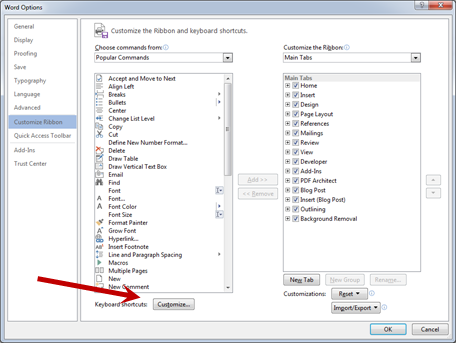
1. Right click on an empty part of the ribbon bar.

2. Choose Customize the Ribbon (shown above).
3. Choose Customize Keyboard ShortCuts
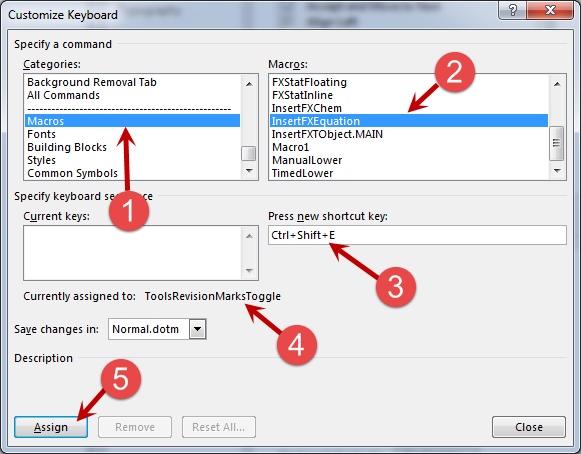
4. Select Macros (1) and then select InsertFXEquation (2). Click in (3) and press a key combination that you would like to use. I have chosen Ctrl+Shift+E. (4) tells you the command that that keyboard shortcut is currently attached to. I don’t use Revision Marks so I am happy using this. Finally, (5) assigns the keyboard shortcut.
Discover more from Efofex News
Subscribe to get the latest posts sent to your email.


 Efofex News
Pingback: Support Blog Reminder | Efofex News