
We have just uploaded a new version of FX Manifest that includes significant new features – many of which have come directly from the comments and requests of teachers.
Alternative Solutions Detection
Some of your questions will have multiple possible solutions. The latest version of FX Manifest lets you include those alternative solutions directly into your manifest. The best thing is that you do not need to remember to do anything “special”.
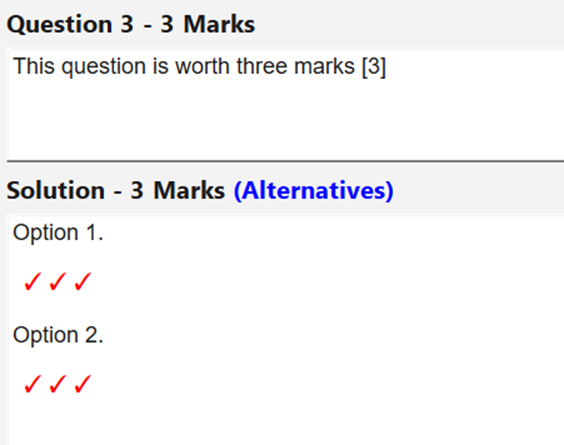
If you solution contains marks which are a multiple of the number of marks in the question, FX Manifest will automatically flag the solution as containing alternatives.
Better Template Management
Our old template management system restricted you to nine different templates. This proved to be too restrictive for many schools. Our new system allows you to nominate a folder on your computer (or a network share) which holds your templates. You can now have as many templates as you wish – just put them into the folder and give them a name which makes sense to your staff.
Better Curriculum Management (And More Options)
We now have some extra curriculum files available on our website and we will add more as teachers request them. At the time of writing this post, there are specific files for Western Australia and New South Wales.
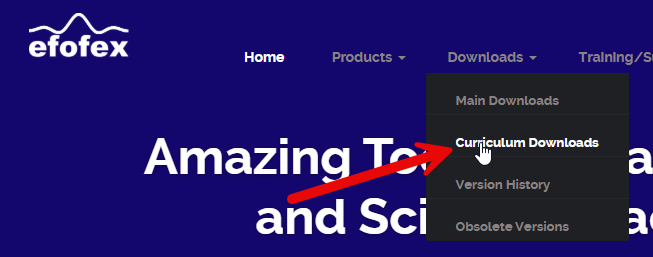
Download and install the curriculum files to add them to your copy of FX Manifest. As you do this, you will find that you have far more control over which curriculum files are included and you can add or delete curricula on one screen.
Option For Four Difficulty Levels
You can now (optionally) set FX Manifest to track four difficulty levels for questions, as well as change the tags given to each level. You can now exactly match your local systems.
Another Marks Option – mk
We have added another code to add checkmarks – mk. The advantage of this code is that you can use it within the normal text of your solution. You no longer have to add an equation just to use a checkmark.
Create Settings Files and Get Everyone Doing the Same Thing
This one is for all of the heads of department out there!
One of FX Manifest’s greatest benefits is its ability to enforce consistency across your whole department. Everyone uses the same templates and the same output settings and you can get everything “just right”. All you have to do is to get everyone’s copy of FX Manifest set up consistently…
Settings files allow you to do exactly that. Export a settings file from your copy of FX Manifest and send it to your colleagues. All THEY have to do is to double-click on the file and THEIR copy of FX Manifest will be set up in exactly the same way as yours. Settings files make gaining consistency easier for everyone.
Keep ‘Em Coming!
A lot of these changes are in direct response to requests from people just like you. There are thousands of different “systems” around the world. We can only address YOUR needs if we know about them!
Discover more from Efofex News
Subscribe to get the latest posts sent to your email.


