New Help & Account Management Centre

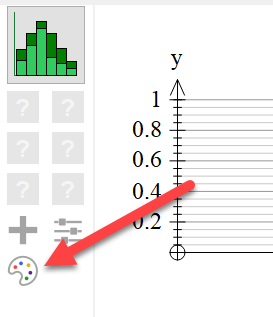
All of our products have now been updated to a new lightweight look and we have added a new Help & Account Management Centre. You can access the centre through the Help menu (1) or by pushing the blue ? Help button on the toolbar (2).

Getting to the Help Centre

Why? So we can customise the information we provide depending on the sort of user you are.

Efofex products have now existed for thirty years. This means that we have an enormous group of LONG-term users but we also have to provide assistance for new people who have never seen our products.

When you first visit the centre, we will ask you one or two questions so we can provide the information YOU need.

Getting Started

Once you have answered the questions, you can use the tabs to access important information on how to use our products as well as the latest news from Efofex. The Deploy tab provides information for network administrators that can make deploying our products much easier. The Account tab gives you information about the current status of your account.

The new Help & Account Management centre is a dynamic source of focused information. Download the latest versions and take a look today!

Posted in Uncategorized | Leave a comment

More Control Over Word Integration

The current releases of Efofex products now give you greater control over integration with Word (only applicable for users on Windows machines using our “Classic” inserted object mode.)

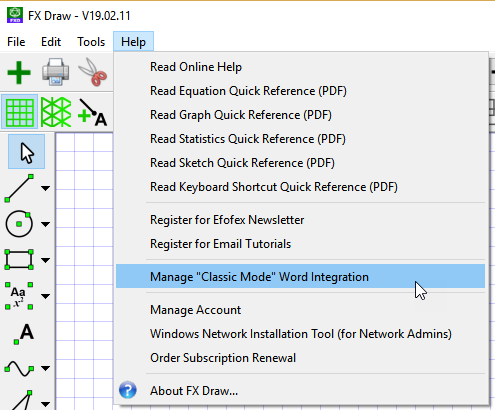
On the Help menu, you can now choose to Manage the Word Integration.

Choose which products you wish to have integrated and press OK.

This new feature allows users to manage Word Integration themselves.

Please note that we only recommend that you only use Classic Mode when inserting equations into Word documents on Windows machines but long-term users of our products do like to use Classic Mode for all products.

Posted in Uncategorized | Leave a comment

Efofex Gives You The World!

FX Draw has always provided a rich set of tools designed specifically for mathematics teachers. Now we are giving you the world!

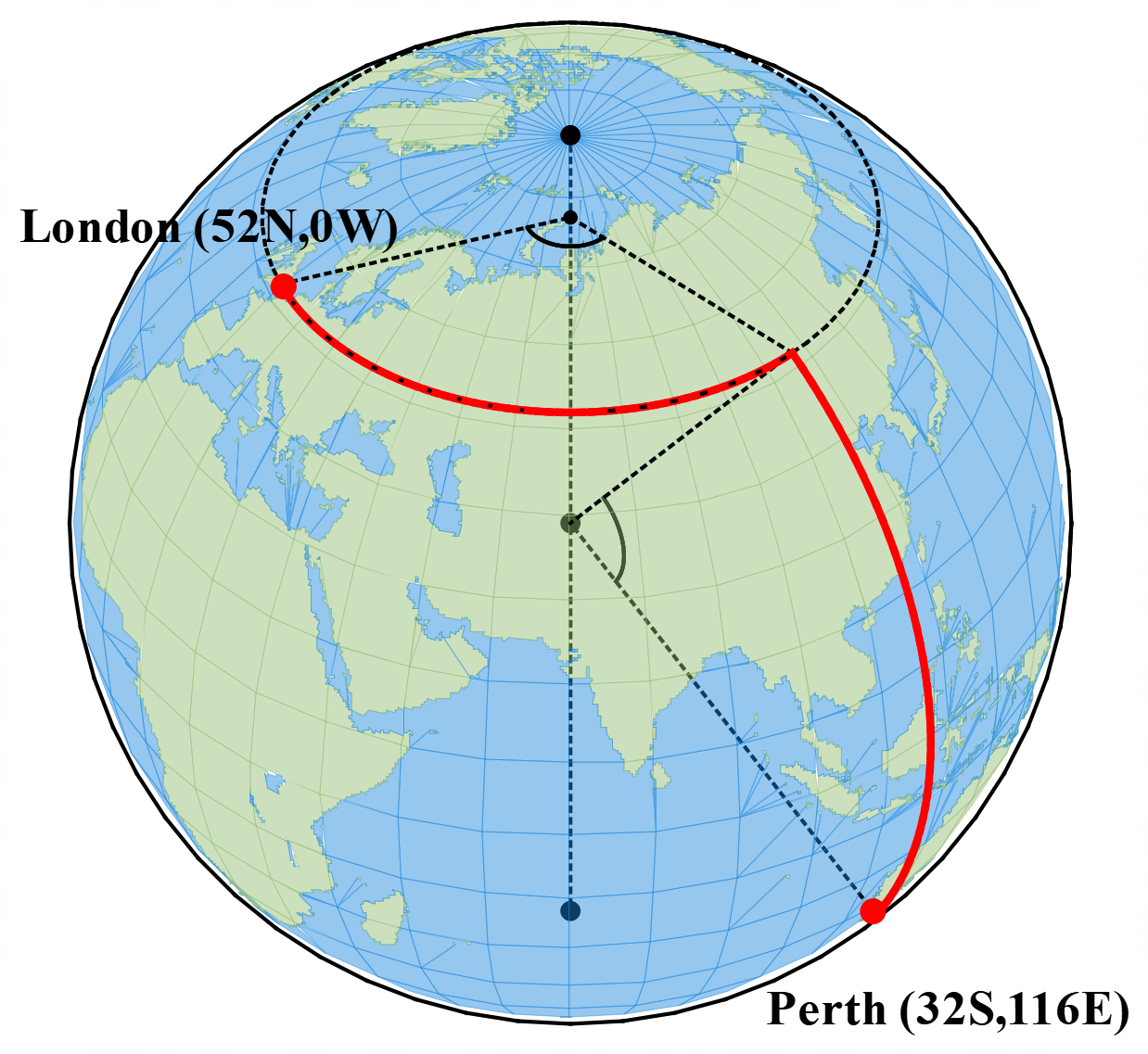
The February 1 release of FX Draw includes a new Earth geometry tool that allows you to quickly create diagrams showing distances between locations using either great-circles or travel on lines of longitude and latitude. You can even animate your diagram in real time to demonstrate the mathematics involved.

A database of over 13000 locations is provided which you can search by name, latitude or longitude. This allows you to quickly create questions to suit the needs of your students.

We have created a short video to show the tool in action. You can view the video here.

Posted in Uncategorized | Leave a comment

FX Equation Gets an Upgrade

We have released a new version of FX Equation that greatly improves its usability.

New Vertical Mode and Line Highlighting

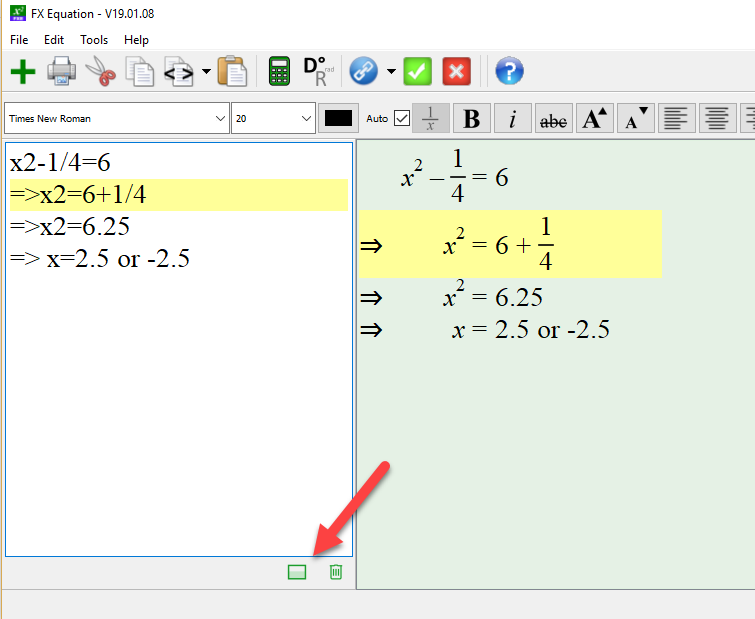
The new vertical mode splits your screen vertically instead of the traditional horizontal split. This makes it much easier to manage long solutions.

If you don’t like the new view, you can always switch back to the old style by pushing the horizontal style button (see above).

We have also added line highlighting which shows you the line currently being edited. Combined with greatly improved side-by-side scrolling, it is now much easier to create long equations without getting “lost”.

Posted in Uncategorized | Leave a comment

New Date-Based Version Numbers

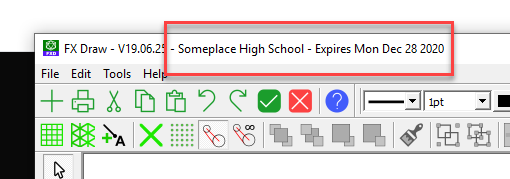
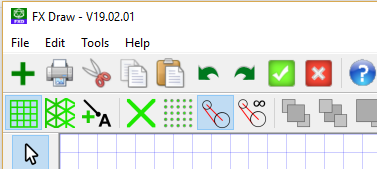
You may have noticed that we recently changed the way we allocate version numbers to our products. For example, the latest version of FX Draw is V19.02.01 and was released on February 1, 2019.

The new version numbers allow (and us) to always know exactly when your version was released. The new versions numbers should help everyone keep up-to-date.

Posted in Uncategorized | Leave a comment

Pareto Graphs

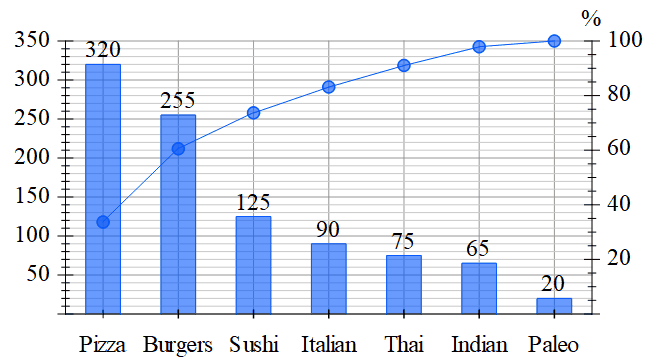
We have added Pareto graphs to both FX Stat and FX Draw to support the NSW (Australian) curriculum. If you use Pareto graphs in your teaching, make sure that you download the latest release of FX Draw Tools.


Posted in Uncategorized | Leave a comment

Mac Users – Are Your Word Files Huge?

Recently we began receiving reports that Word files using graphics from our products, being created on Mac computers, were becoming outrageously large. For example, a file which would be about 300kB when created on a Windows version of Word was about 40MB on a Mac.

Our investigations indicate that Microsoft has made a change to the Mac version of Word which causes it to internally save graphics in the extremely inefficient TIFF format. On a Windows machine, Word saves the exact same image in the highly efficient PNG format. This difference accounts for the huge file size discrepancy. This problem is nothing to do with Efofex products, any image placed on the clipboard will be treated in the same way. Our products just tend to highlight the problem (so we get the blame). We have NO idea why Microsoft has made this change.

While we have reported this strange behaviour to Microsoft, we are not expecting any action soon – Microsoft simply does not work that way. We anticipate that, at some stage in the future, Microsoft will reverse this change and file sizes will revert back to what they should be.

While we have no way of changing Microsoft’s software, we can help mitigate the problem. In the latest versions we have included a new beta feature which compresses docx Word files. We do this by opening up the file, finding all of the graphics stored as TIFF files and converting them to PNG files. This can often lead to file size reductions of up to 99% with no loss in image quality.

As this is a beta feature, we have made it non-destructive. If you use the compressor, you will see a new version of the file created in the same directory (Geometry Test.docx would become Geometry Test (compressed).docx.) Your original file is untouched and we implore you to check that the new file opens BEFORE deleting the original file.

The new feature is available on both the Mac and Windows versions of our products.

oaccddhofdgobfic

hnapodipcekibjdo


Posted in Uncategorized | Leave a comment

Change In OLE Support (If You Use The Word Toolbars)

If you use the Efofex Word toolbars on Windows, we have made a change to the support we offer.

Up until the October 29 release, we have included support for using OLE on PowerPoint. This support added a layer of complexity to the OLE service and we have determined that providing this support was a large part of the issues that some users were experiencing with OLE. As very few people use OLE with PowerPoint (it is now a much better idea to use the new, Graphics ID system with PowerPoint) we have decided to remove the PowerPoint support for future releases.

ojaknogphpnkgldm

If you use our toolbars in Word on your Windows machine, we recommend that you download the latest release. It is likely that your experience of OLE will be improved.

Posted in Uncategorized | Leave a comment

FX MathPack renamed FX Draw Tools

Today we have launched a rebranding of our FX MathPack and FX SciencePack subscription products. From today they will be known as FX Draw Tools and FX Science Tools.

Nothing Else Has Changed

  • The price has not changed.
  • The products included in the subscriptions have not changed.
  • The processes have not changed.
  • Only the names have changed.

Why have we made the change? Simply because the FX MathPack name was causing confusion and did not reflect the primacy of FX Draw as our main mathematical product. The new name makes it clear that the subscription is really for FX Draw and you get some bonus tools added in at no extra charge. FX SciencePack was renamed FX Science Tools for consistency.

Posted in Uncategorized | Leave a comment

FX Draw – New Matchstick Tool

We have added a matchstick tool to FX Draw. This allows you to quickly draw matchstick diagrams that can be used to teach students how to identify patterns.

The new tool has been added as a “line tool”.

The tool allows you to draw matchsticks in three sizes, each with five different rendering styles.

igemfaclhifkibne

This new feature was the direct result of a suggestion from a user and appears in the September 3 release of FX Draw (V7.003.8). Thanks Marian!

cmojgjgmllbhmaoh

Posted in Uncategorized | Leave a comment