New Line Division Feature for FX Draw


We have added a new feature to FX Draw. The new feature has been included in the 6.002.0 release.

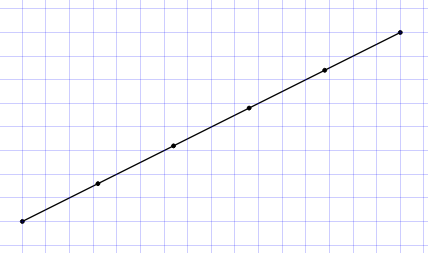
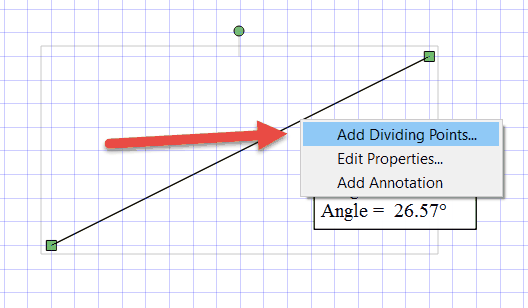
You can now divide any line by adding dividing points to the line.

First select the line, then right click on it and choose Add Dividing Points…

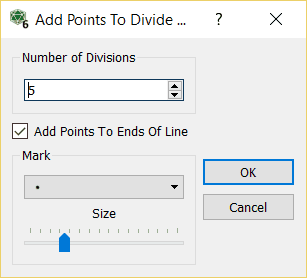
Now enter how many parts you wish to divide the line into. You can also choose to add points to the ends of the line.

The points are attached to the line and will move with it.

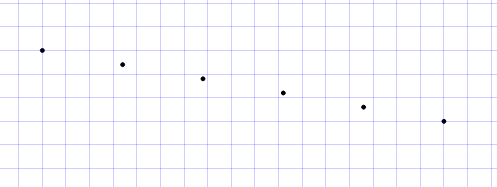
You can also delete the line and the equally spaced points will remain on the canvas.

Posted in Uncategorized | Tagged , | Leave a comment

New Mac Versions


We have uploaded new Mac versions of our products. These new versions address two issues.

1. Recently we have received reports that the Connect To Word feature was not operating correctly. It transpired that Microsoft has recently modified how Word responds to one of our requests and this was confusing the Connection system. Our new versions work around this change.

2. We are now Apple Identified Developers which will make the GateKeeper application on your Mac much happier. All products are now signed with our developer certificate.

We have had to temporarily remove the FX MathPack and FX SciencePack downloads as the digital signatures are not surviving the packaging process. In the short term, all this means is that you will need to download the constituent products separately. In other words, if you are an FX MathPack subscriber, you just need to download the four products: FX Draw, FX Equation, FX Graph and FX Stat rather than getting all four products in one download.

Posted in Uncategorized | Tagged | Leave a comment

A Radical New Feature for FX Chem


This new feature was inspired by a user suggestion (thanks IK!)

We recently uploaded a new version of FX Chem (3.003.2) which introduces a radical new feature – literally.

Now, if you type a radical with a free electron, something like OH. (with the full stop) FX Chem will automatically convert the full stop to a raised dot.

Snippet

The new version can be downloaded now by holders of licenses for FX Chem 3 and any current FX SciencePack subscriber.

Posted in Uncategorized | Tagged , | Leave a comment

New Feature – 5 New Angle Marks


This new feature has been inspired by a user request (thanks again Michalis!)

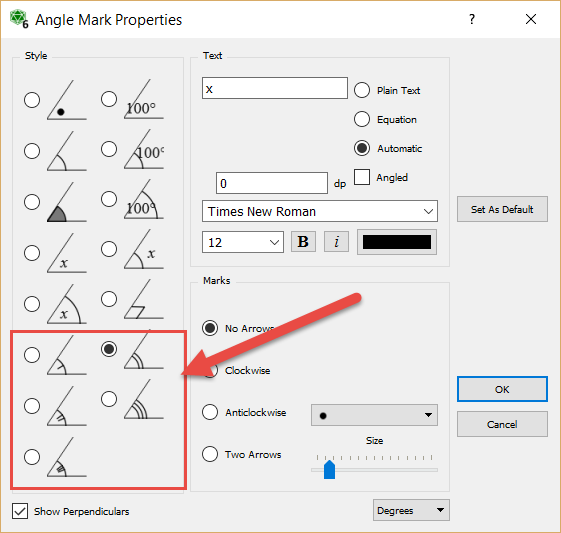
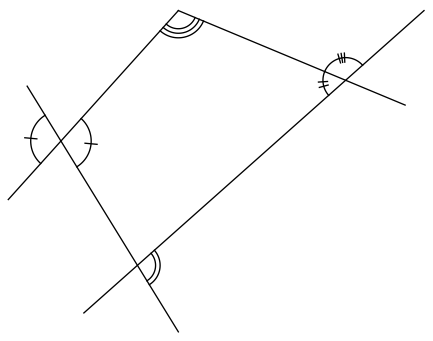
We have added five new angle marking options to FX Draw. The new marks are designed to allow you to easily mark angles as congruent.

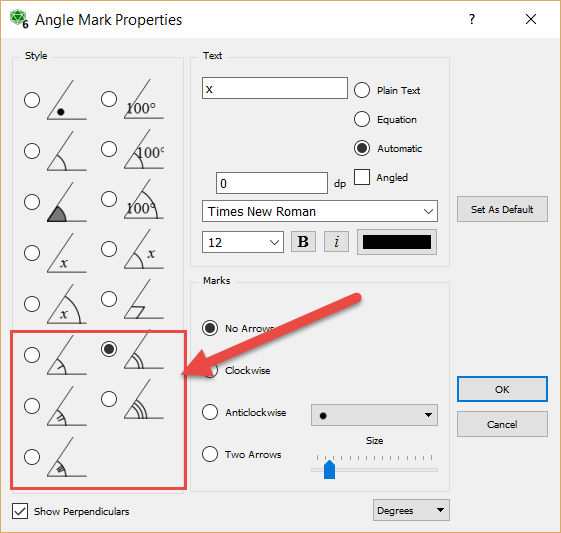
The new marks are accessed by right clicking on an angle mark.

Posted in Draw | Tagged , | Leave a comment

New Feature – 5 New Angle Marks


This new feature has been inspired by a user request (thanks again Michalis!)

We have added five new angle marking options to FX Draw. The new marks are designed to allow you to easily mark angles as congruent.

The new marks are accessed by right clicking on an angle mark.

Posted in Uncategorized | Tagged , | Leave a comment

New Feature – Add Normals to Functions


This new feature has been inspired by a user suggestion.

FX Draw and FX Graph have long been able to add a tangent to a function and let you investigate the equation of the tangent line.

A user (thank you Michalis) recently indicated that he would like the option of showing the normal to the function at the same point so this feature has been added to FX Draw (6.001.12) and FX Graph (6.001.4)

The toolbar button has changed slightly to show the normal.

To use the new tool, draw the Tangent Line as you always have and then right click on the tangent line to edit it.

You can choose to show the Normal (1) and also mark the angle between the normal and tangent with a right angle (2). You can also change the colour of the normal line (3). Finally, you can choose to turn off the tangent line if you wish.

Automatically generated annotations now include the equation of the normal to the function.

Posted in Uncategorized | Tagged , | Leave a comment

2 Circle Venn Diagrams – A Teacher Resource Project Upload


This new upload is a one sheet summary of all possible shadings of a two-circle Venn diagram, with the associated set statements.

Posted in Uncategorized | Tagged , | 4 Comments

Two Small Improvements


These features have both been inspired by customer suggestions.

1. “UK Style” Polar Graphs

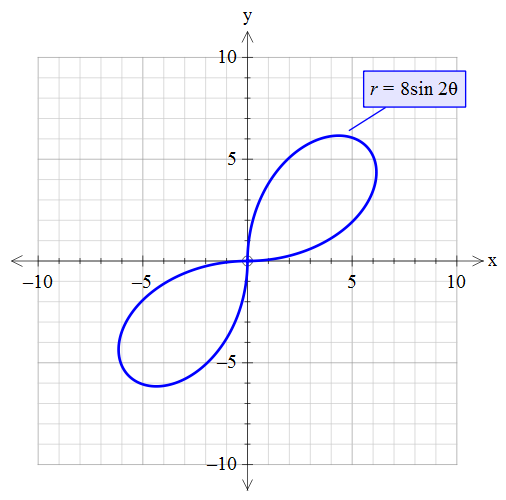
In some locations (at this point of time, we only know of this existing in the UK), negative results from functions such as r = 8sin 2th are ignored. This produces graphs like this.

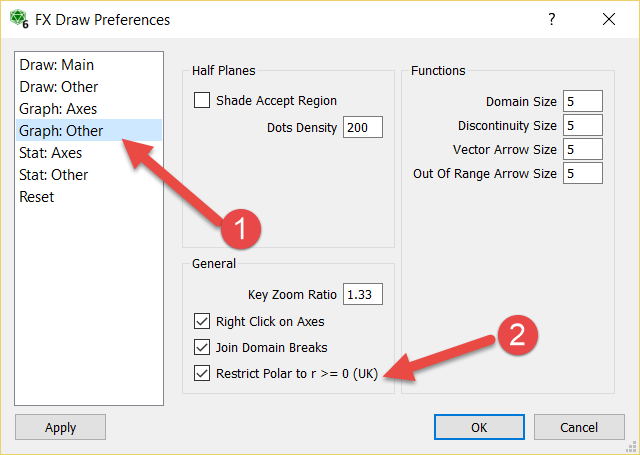
FX Draw and FX Graph can now draw “UK Style” polar graphs. Go to the Tools menu and choose Preferences.

Check the “Restrict Polar to r >= 0” option.

At Efofex we try to accommodate all school systems. If you work in a location where something is done a little “differently” please feel free to contact us. We may be able to add a new option for you (or point you to an option that has always been there!)

2. Arrow Heads on Link Graphs.

Link graphs are a form of bivariate data graph available in the statistics graph tool.

You can now add arrow heads to the links.

Posted in Uncategorized | Tagged , | Leave a comment

Smoothed Line Graphs – New Feature

 
This new feature was inspired by a question from an EmPower student.

In FX Draw you have always been able to overlay a set of axes with a freehand, smoothed line (but the resulting line is not “part” of the graph). There has not, however, been a way of drawing a smoothed line over an FX Graph graph.

We have now added a new feature to both FX Draw and FX Graph that allows you to explicitly enter a smoothed line into the graph tool.

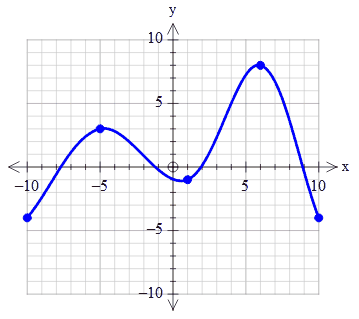
If you join points with a tilde (~), the graph tool will draw a smoothed line joining the points.

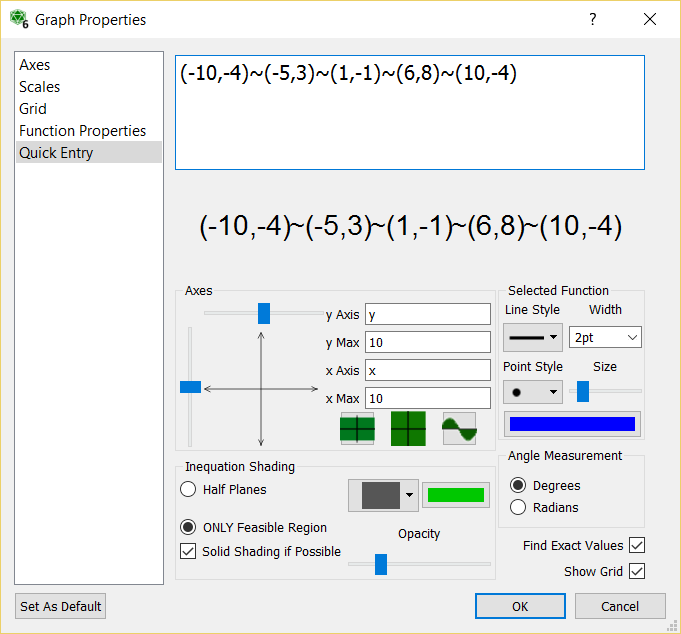
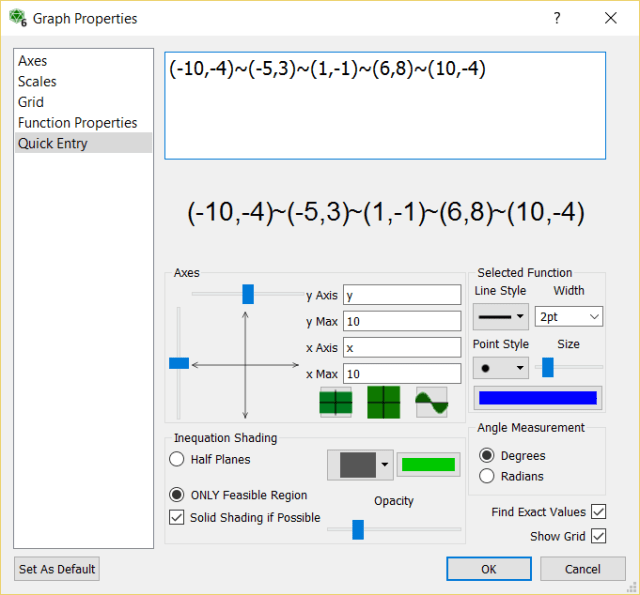
For example, if you enter (-10,-4)~(-5,3)~(1,-1)~(6,8)~(10,-4) as your function, the graph tool will draw this graph.
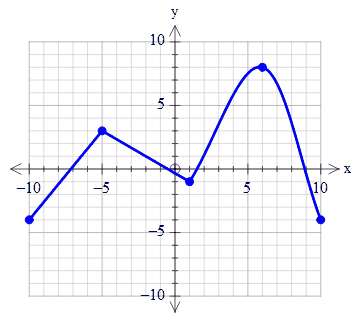
You can mix ~ and + in the same function.

(-10,-4)~(-5,3)+(1,-1)~(6,8)~(10,-4)
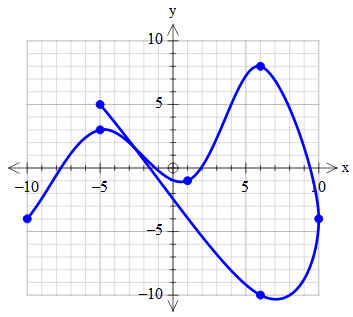
The smoothed curves do not have to be left to right. In other words, they do not need to represent a function.

(-10,-4)~(-5,3)~(1,-1)~(6,8)~(10,-4)~(6,-10)~(-5,5)
The resulting line is guaranteed to pass through the listed points. You can also reduce the size of the points so that they do not appear as marked points.

Posted in Uncategorized | Tagged , | Leave a comment

Bearings – A Teacher Resource Project Upload

We are going to introduce the original Efofex Teacher Resource Project uploads to ensure that our customers have seen the resources we are making available.

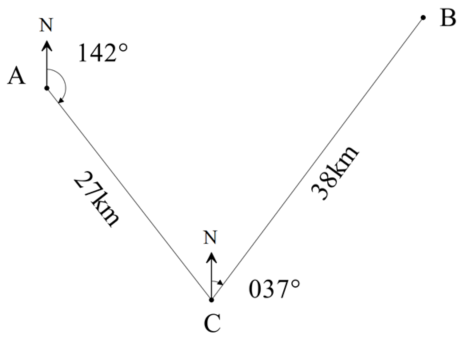
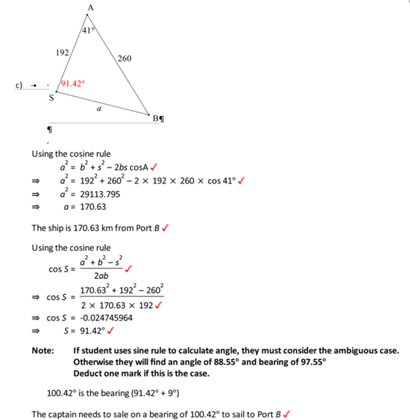
The Bearings document contains four bearings questions that can modified for use in exams, tests and worksheets. They highlight the bearings tool available in FX Draw.

Current subscribers and license holders can download a docx version of the file that includes full solutions.


Posted in Uncategorized | Tagged , | Leave a comment