Probably the biggest difference between our old Classic integration and the new MultiDocs integration is how you edit an existing object. Classic mode was double-clicking, MultiDocs was selecting and pressing the Edit button. It was certainly one of the main stumbling blocks for long-term users.
Now we have managed to implement double-click to edit on the MultiDocs toolbar! Unfortunately, we have not been able to get it to work reliably on Mac machines (there are lots of subtle differences between the Windows version of Word and the Mac version – this just seems to be one of them).
Double-clicking to edit means that the new MultiDocs toolbar is faster to use, offers more features and is (mostly) platform independent. There is even less reason to stick with your old Classic toolbar.
In the latest versions we upgraded the main framework we use to the latest available version to support our new equation to speech functionality. This will have have no impact for most users.
The only affected users are anyone using MacOS Mojave (2018) or Catalina (2019). The new version of the framework is incompatible with these older versions of MacOS.
If you are affected, please consider updating your copy of MacOS to a later version. Alternatively, we have made a version that runs on Mojave and Catalina available on the Obsolete Versions section of our downloads page (http://www.efofex.com/Downloads.php)
We have introduced a new feature to FX Equation which will read your equation to you.
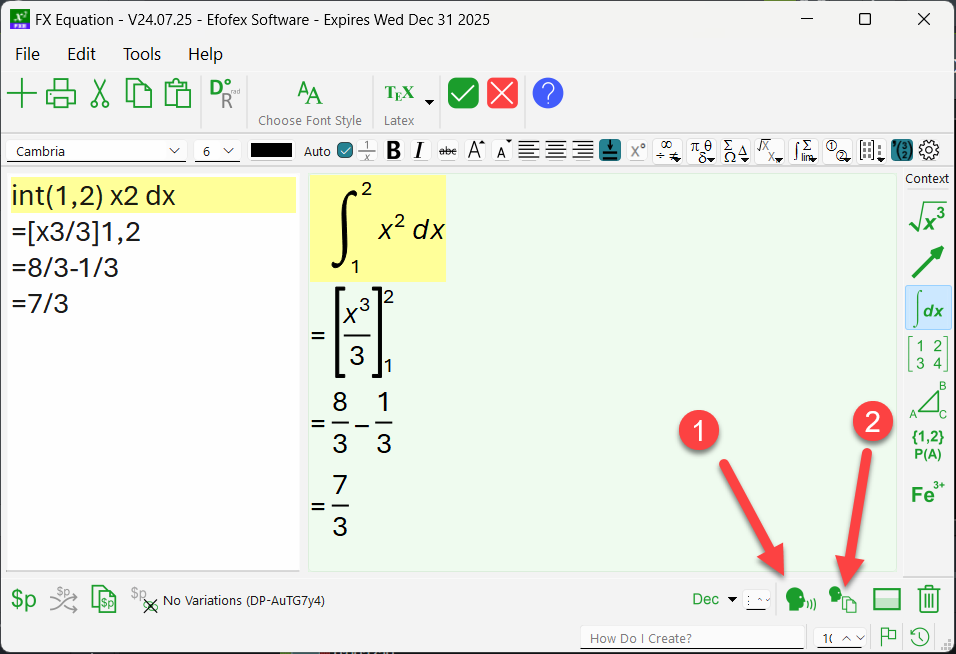
The first button will read the equation to you, using your operating system’s default text to speech engine and voice. On our machines, it sounds like this…
The second button will provide you with the same information in text form.
The definite integral from 1 to 2 of x squared dx Equals x cubed over 3 from 1 to 2 Equals 8 thirds subtract 1 third Equals 7 thirds
Why?
You might be asking yourself why this is important. We started work on the feature to increase your ability to create accessible content. In the near future, our MultiDocs system will add the text description to each equation you create which automatically provides students with sight issues with an accessible version of the equation that their screen reader can read. But it is more useful than that.
In order to be able to “read” mathematics, students need to “hear” mathematics – not just look at it. This new feature allows your students to hear how mathematics is “spoken” – which can only be helpful.
How Good Is It?
Generally, pretty good. The system will read mathematics in much the same way a mathematics teacher would. The further you get away from standard mathematics, the more likely you will find something that it cannot handle. When you do, send us an example and we will try to improve the system.
The other issue with spoken mathematics is that it is entirely dependent on your computer’s text to speech engine and voice. Sometimes this does an excellent job of reading what we have provided but we have noted that some of the voices can get things wrong. For example, on our machines the following equation is read properly by most of the voices we have access to – except one.
P(A) = 0.43
Most voices read this as “The probability of ‘ay'” whereas one of the voices reads it as “The probability of ‘uh'”. These sorts of differences are outside of our control.
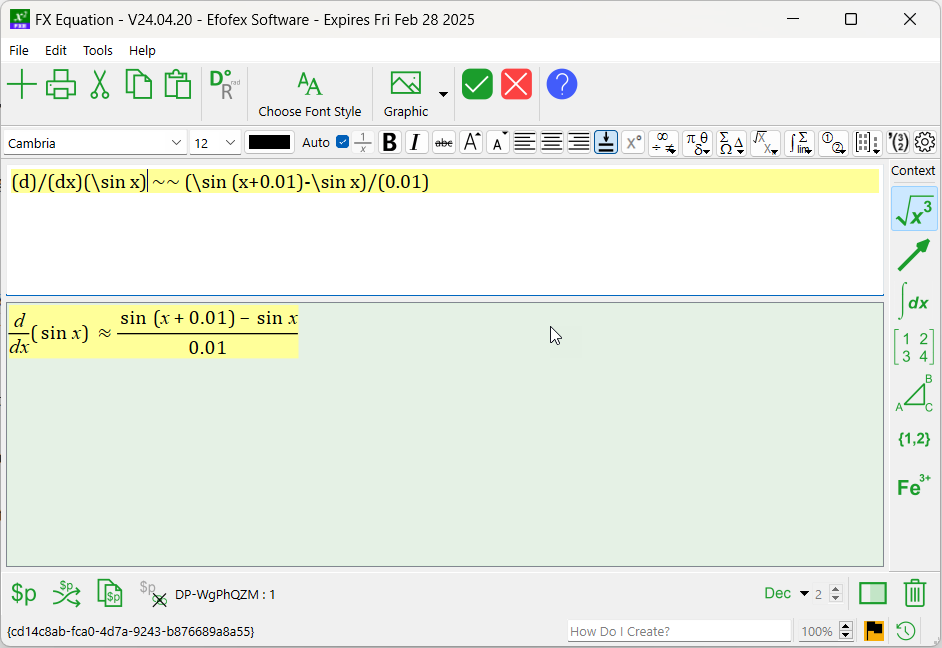
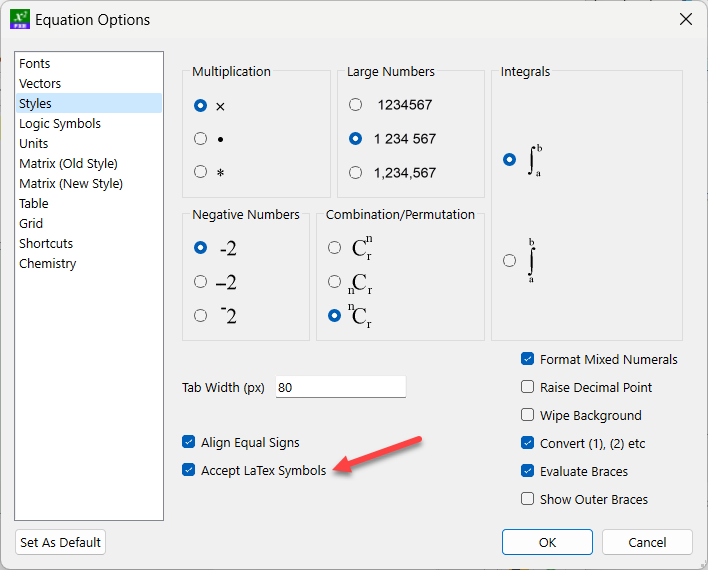
FX Equation is progressively adding the ability to handle LaTex commands.
Pasting LaTex Into FX Equation
If you copy LaTex commands onto your clipboard they will be automatically transformed if you then paste them into FX Equation. This allows you to quickly transform LaTex equations into FX Equation equations.
To use this feature, select and copy the LaTex commands.
We have also added support for the direct use of some LaTex commands. This allows you, for example, to type something like A \cup B and FX Equation will automatically replace the \cup command with a union sign.
We have introduced a new way to format grids, using a LaTex style formatting string. The new system allows you to control the horizontal alignment of each column individually as well as allowing full control over the lines on the grid.
grid(opt(|C|NNN|RL01) … data goes here)
In this example, we are formatting the grid using the string
|C|NNN|RL01
Some of this string will be familiar to users of LaTex and some will not. First up, lets look at a slightly different string that would be understood by LaTex
|C|RL|
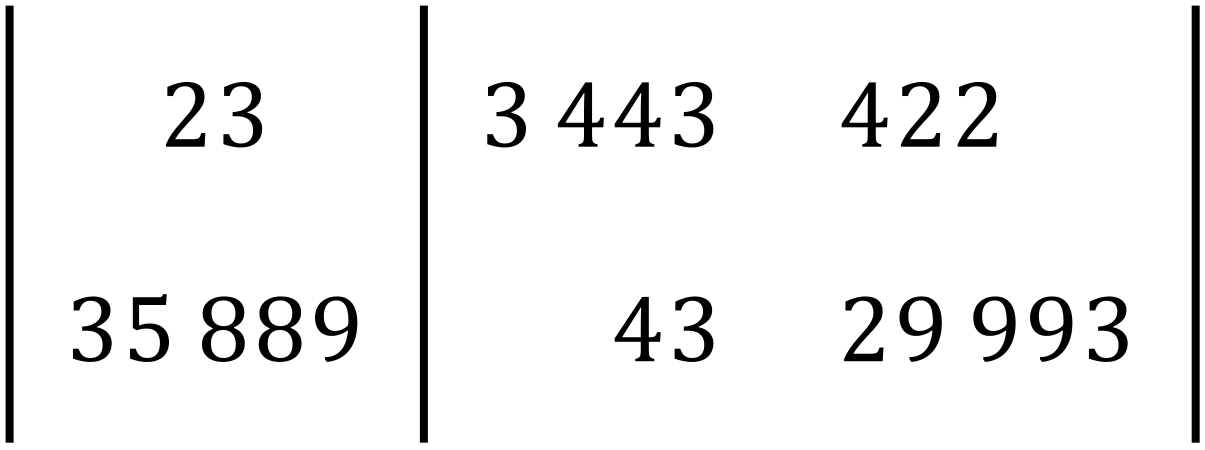
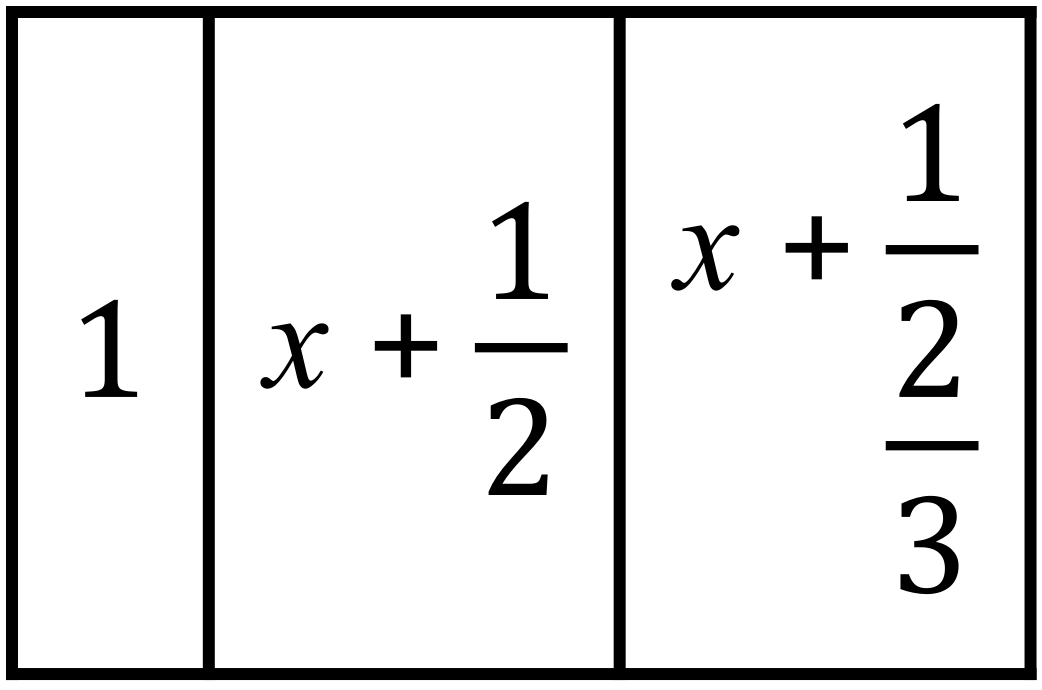
This string determines the horizontal alignment of three columns (Centered, Right aligned and Left aligned) and three vertical bars show where lines should be drawn on the grid. This formatting string would allow you to produce this grid.
Note that the first column is centered, the second column is right aligned and the third column is left aligned – with lines in the appropriate positions.
Efofex Extensions
We have extended the LaTex standard in two ways:
We have added a N(umber) alignment option
We have added the ability to mark horizontal lines.
Number Alignment
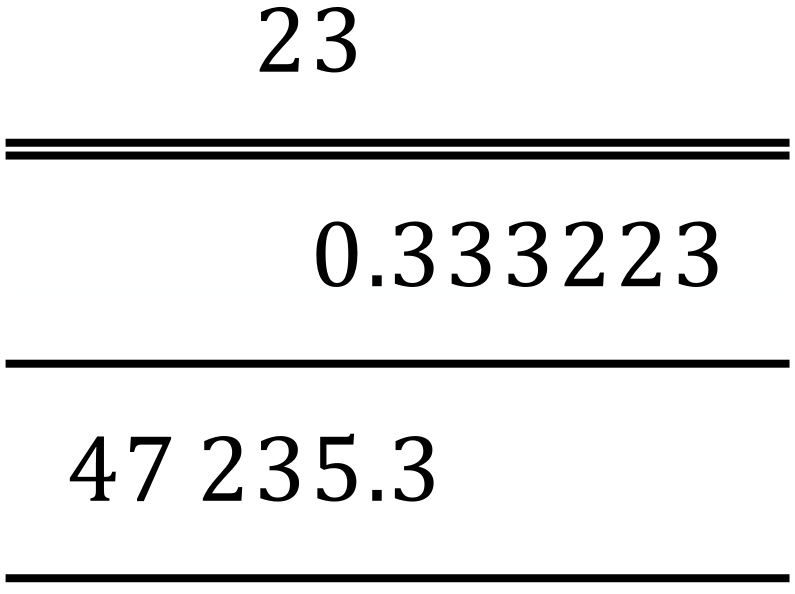
Number alignment aligns the decimal points of numbers.
Marking Horizontal Lines
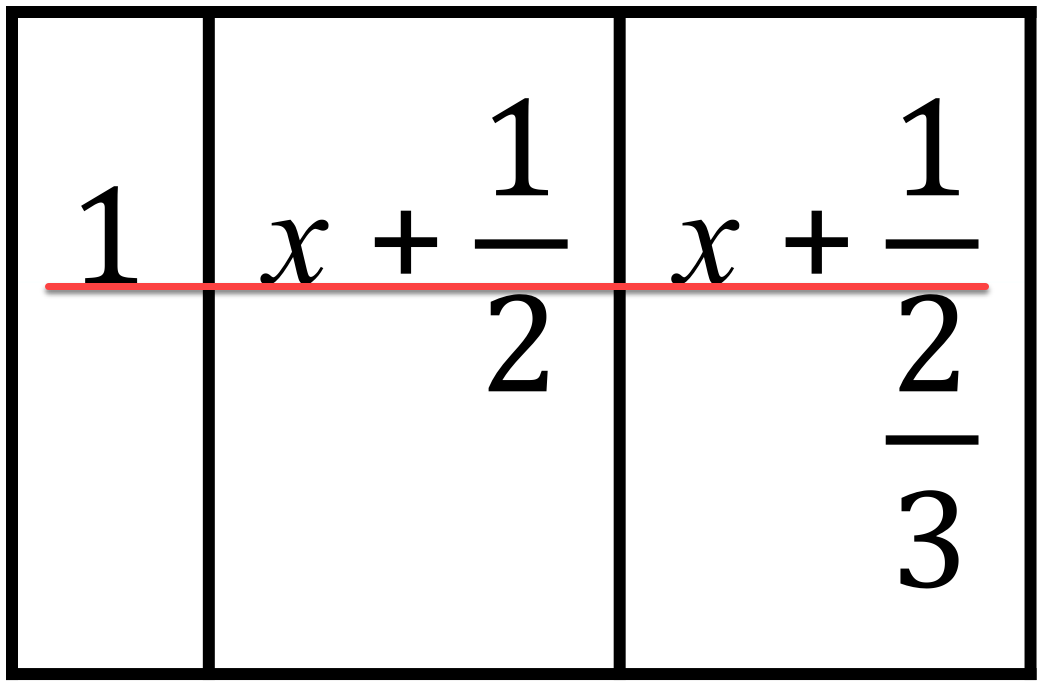
Each row can be marked with 0, 1 or 2 lines, so 0211 will produce the following horizontal lines
You can also use – for single lines and = for double lines. This means that the grid above could be defined by 0=– if you wish.
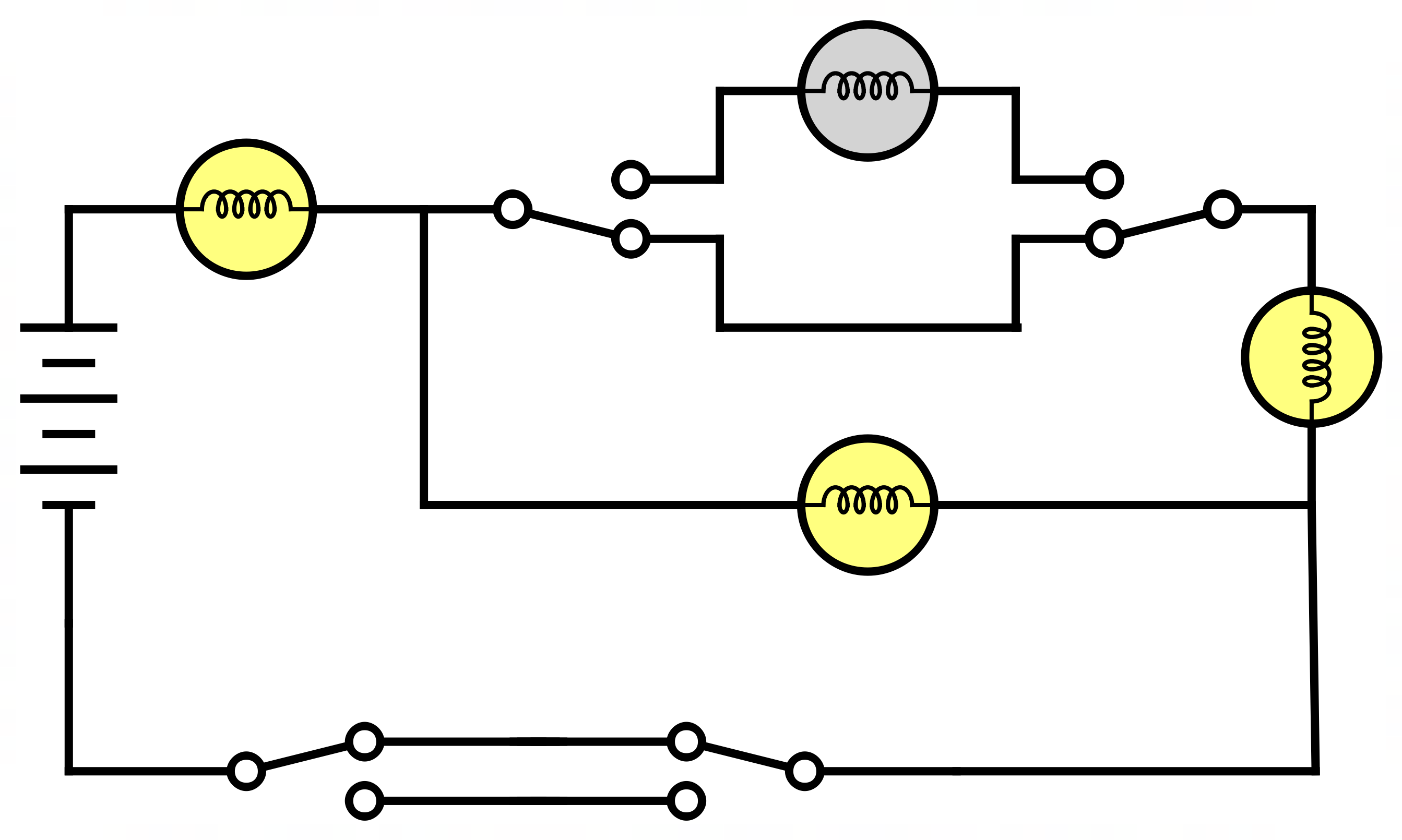
FX Draw has been the go to drawing package for a generation of mathematics teachers and many of those teachers also used FX Draw to help them draw diagrams for science classes. Now we have made this “official”.
Today, we are officially releasing a new version of FX Draw that includes science tools. These tools are available for anyone who holds an FX Science Tools license. This has two major advantages.
We can now add tools that are specifically designed for science teachers. This first version includes a “spring” tool, tools to allow you to draw electrical diagrams as well as including the full feature set of FX Chem and FX ChemStruct. We have lots of plans for further tools which will appear over time.
This allows science teachers to fully access the power of MultiDocs. Using the new versions of FX Draw and FX Equation, you can now create self-modifying science questions for use in tests, worksheets and exams.
What Will Change For Mathematics Teachers?
Nothing
What Will Change For Science Teachers?
The FX Science Tools download now includes FX Draw and this is automatically enabled if you hold a license. FX Draw is an extremely powerful drawing platform, designed specifically for teachers, that has always included tools that are useful to science teachers. Now it also includes tools specifically designed for those teachers.
You will also note that FX Equation now includes a chemical equation context. This allows you to use FX Equation just as you would use FX Chem – but adds the enormous power of MultiDocs to the mix.
I Have An FX Science Tools License. Do I Have To Use The New Tools?
No. You can keep doing exactly what you have always done if you wish.
Will The New FX Draw Look Any Different?
Mathematics teachers will not notice any changes in their version. If they look at FX Draw on a science teacher’s machine, they will notice that there are extra, new tools available and the more “mathsy” tools are missing.
I Am Licensed For Both Maths And Science. What Will I Notice?
If you hold licenses for both FX Math Tools and FX Science Tools, all of FX Draw’s tools will be visible – maths and science. You will have instant access to about 20 new object types.
How Much Extra Is This Going To Cost?
At the moment, nothing extra. Adding science tools to FX Draw will happen over time. We understand that you have purchased FX Science Tools with the traditional set of FX Equation, FX Chem and FX ChemStruct in mind and it will take some time for you to realise the full benefits of FX Draw and MultiDocs. We will consider adjusting relative pricing over time.
Happy New Year! While you have (hopefully) been having a well-earned break, we have been busy adding some new features to FX Draw.
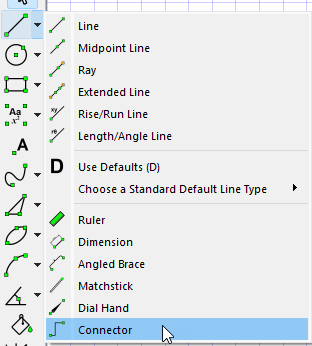
The new features have been created to support an exciting new set of capabilities we are adding to FX Draw soon – but more on that later. First up, we want to introduce you to the idea of connectors.
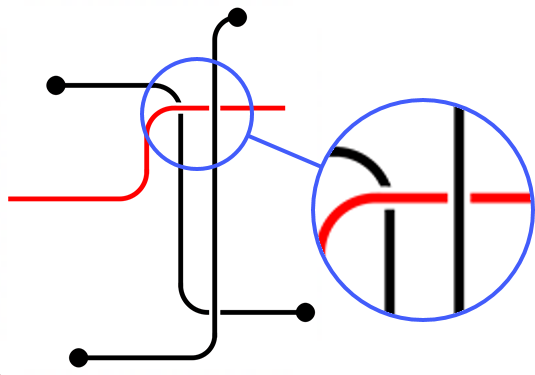
A connector is just a “bendy line” that can be used to join two things with horizontal and vertical lines. Connectors can have a range of end points added and give you the ability to move the location of the bends.
The most important thing that they add is that they automatically show which line was drawn first, highlighting that they do not intersect.
This aspect of connectors can be so useful, we have added the same ability to normal lines. Just select “blank under”
Keep an eye out for some more new features for FX Draw soon!







 Efofex News